
Motion capture6 min read16 min video
Hands are the first thing to get rushed when deadlines hit.
Rokoko Smartgloves II Review: Motion Capture Gloves That Finally Get Hands Right?
Key takeaways
- Hands in games are usually rushed: fingers curl into an even fist, so characters grip everything like they're holding on for dear life.
- The projects with the best hands were always the ones where we captured the hands. Captured data gives you a base to tweak instead of building from scratch.
- Smartgloves II raise the sample rate from about 166 Hz to 250 Hz and improve wrist accuracy roughly three times, from 1.5 mm to 0.47 mm.
- In my tests the fingers and wrist rotation were the most accurate I've seen at this price. The thumb tip is the weak spot.
- Setup is simple: any power bank, a firmware update, Wi-Fi in Rokoko Studio and you're streaming.
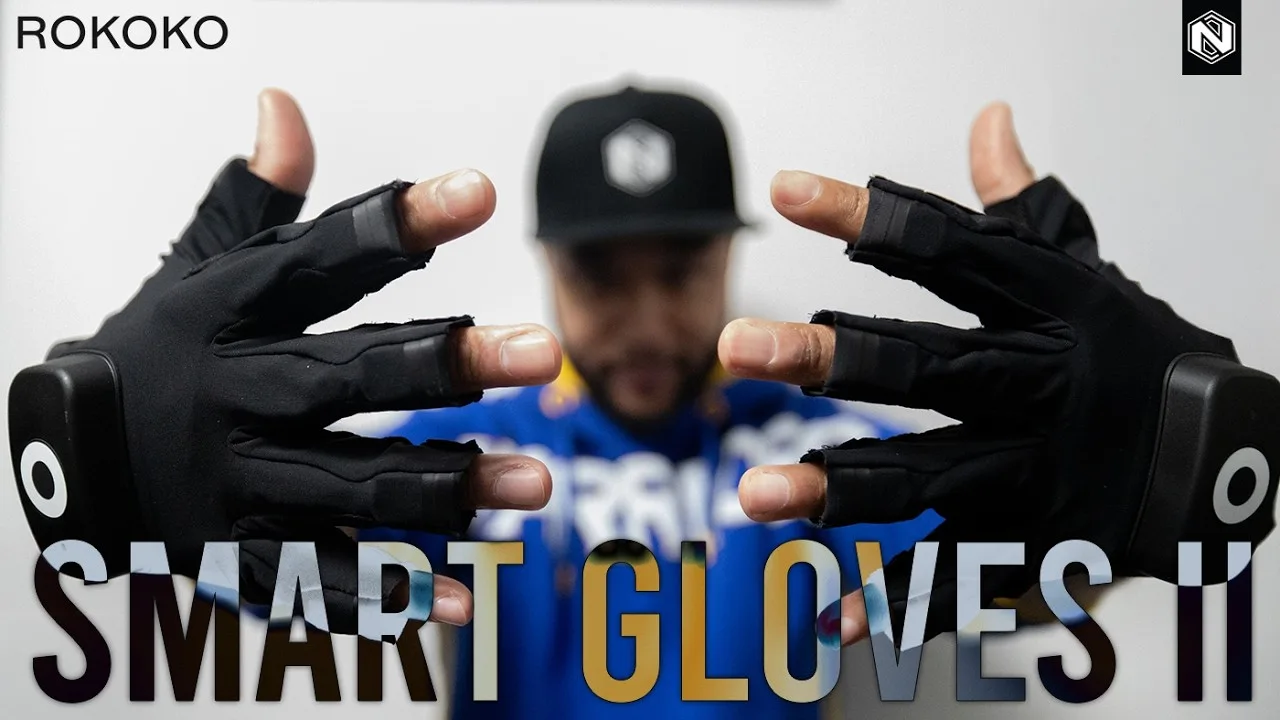
The Rokoko Smartgloves II are motion capture gloves built for the thing games get wrong most: hands. If you care about getting fingers animated without spending hours and hours posing and polishing them, this review is for you.
I’d been testing them for a day or two when I made the video, after reviewing Rokoko’s suit on the channel for a while. Rokoko sponsored the video and sent me the gloves ahead of time. They didn’t pay me to say anything good or bad. They asked for my professional opinion, and the pros and cons here are mine.
Why does hand mocap matter in games?
It’s not just games. Film and VFX too. But hands matter because of what happens when a character grabs something.
Take a knife. Because animators in games have so many animations and so many takes to get through, a grip normally gets animated like this: the hand starts in its default pose and the fingers all curl together into a ball.
Nobody holds anything like that. You don’t curl your fingers in an even way. Do it in a game and it looks like the character is holding the weapon for dear life.

Hold it the way you naturally would and look at how much more interesting the pose is. The thumb isn’t clamping anymore. The fingers are slightly offset from each other. That detail is what’s missing from so many games.
Why are hands in games so stiff?
Because we go through so much motion capture and so many animation takes, keyed or captured, that hands drop to low priority. Everyone’s looking at the body, so hands come second.
The projects with the best hands were always the ones where we captured the hands.
When you have the data, you already know roughly what the hand is doing with that weapon. You just open the fingers a little more or curl them a little more. You have a base to start from. If you have a big weapon to throw or swing around, how the character holds it matters.
This is especially true for indie devs. It’s normal to spend even less time on the hands when you just want to see something moving in your game. So the more quality you get from the raw take, the better.
I’ve tested the original Smartgloves, and I still have them. They were good, in that you got usable data, but you still had plenty of work to do. Better than a hand that sits static while the character moves, but not super tight, because the data wasn’t that clean.
What’s new in the Rokoko Smartgloves II?
They look almost the same as the first ones, but much of the tech has improved. You can tell Rokoko has been doing its homework.

- 250 Hz samplingUp from about 166 Hz. Finer detail, fewer micro jitters, and cleaner finger curves when you take the data into Maya.
- Better sensor fusionRokoko rebalanced how the sensors and the magnetometer work together, for more accuracy in fast movement. You don't need a suit to use them.
- Wrist accuracyFrom 1.5 mm to about 0.47 mm. More stable wrist rotation, cleaner integration with the suit and less post stabilisation.
- Weapon gripsMore stable grips as a result, which is most of what game hands do.
That point about the suit matters for indie devs and small teams doing hand capture only. Power them on, do the motions, get the data, done.
There’s also Coil Pro, which I haven’t tested because I don’t have one. It’s an add-on to the suit for more professional productions: bigger capture spaces, less signal degradation, more flexible staging and better integration with the Smartsuit Pro. Rokoko says it doubles the effective range. It matters most on multi-actor shoots, where you want accurate fingers on both characters.
The redesign is also aimed at high impact shoots. I’ve been on plenty of those, with actors punching things, stretching and rolling off bars. You need to know your gloves will survive several shoots. They’re not cheap, so they’re an investment, and they need to last.
How do you set up the Rokoko Smartgloves II?
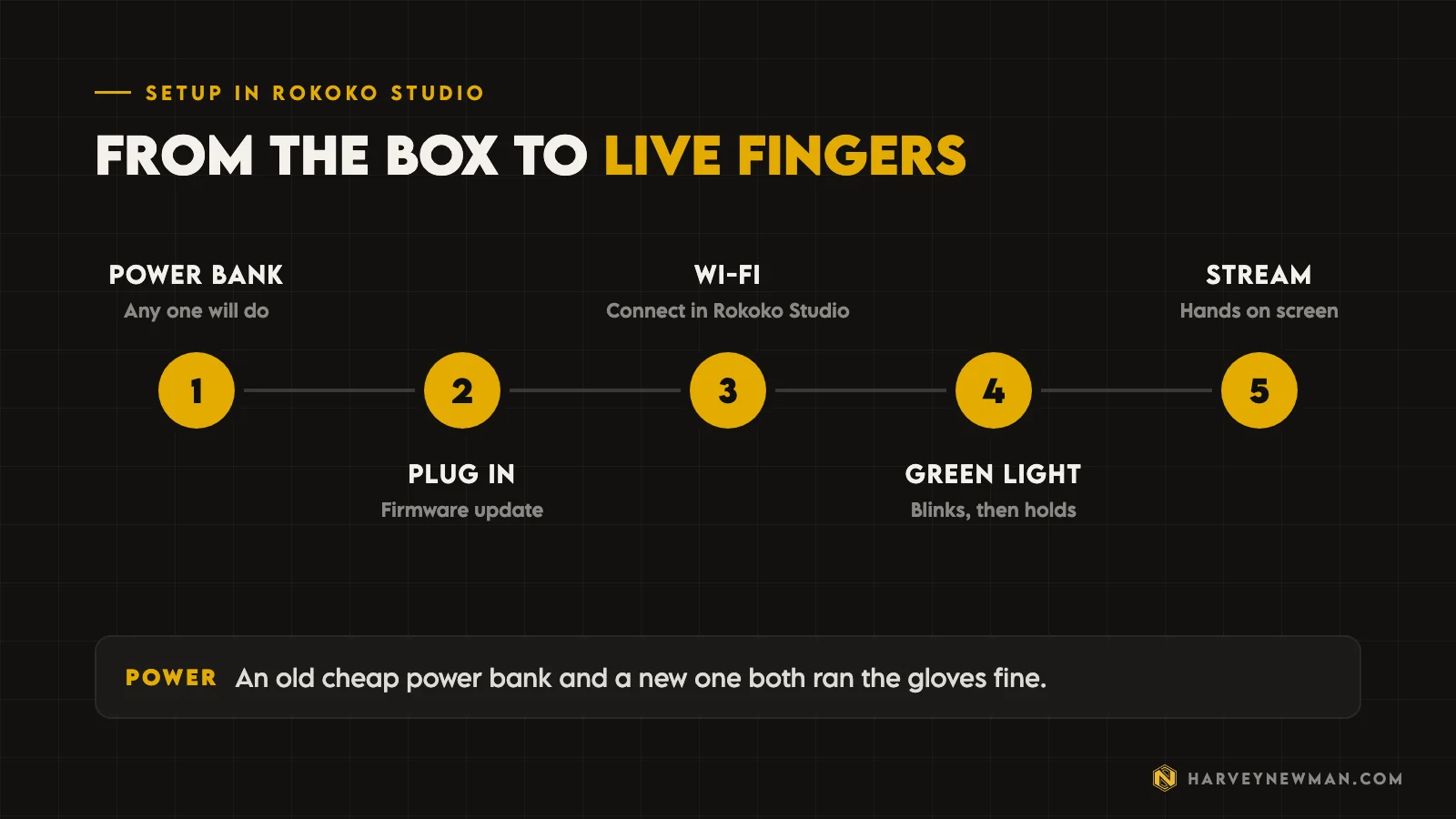
It’s simple. The gloves don’t need much power. I used an old power bank I’ve had for ages and a newer, more powerful one, and both ran the gloves fine. You don’t need anything expensive.
In Rokoko Studio, plug the gloves into your machine. It asks for a firmware update. Then connect them to your Wi-Fi, which is how the data reaches your screen. Plug a glove in and you get a flashing green light. Once it turns solid green, the hand appears in the connected devices list and you’re good to go.
How accurate are the Smartgloves II?
The first thing I noticed was how smooth it is. I grabbed my mouse, moved my hand around, and the wrist rotation was so nice.
More important than that: the fingers. Even though the glove is cut off at the fingertips, which is normal, you can see the tip of each finger move, accurately, the way mine did.
I've never seen something this accurate, especially at this price level.
Harvey Newman
My ultimate test is touching the thumb to the pinky. Often the two intersect. Here they meet cleanly.
I was only using Wi-Fi, no Coil Pro, with the router close by on my desk.
When I plugged in the second glove, it did the same thing: the light blinks, stops, and a second hand pops up in the software. I hadn’t calibrated them for the demo, so the hands showed the wrong way round at first. That’s on me, not the gloves. Even uncalibrated, you could see both sets of fingers doing different things at the same time.
Go back to the knife from earlier. With the gloves on, the fingers wrap around the handle in a way that’s well put together: offset, relaxed, each one doing its own job. That is the exact pose I’d normally spend time building by hand on a rushed grip.
Where do the Smartgloves II fall short?
The thumb. The fingertips are open so you can feel what you’re touching and your hands don’t get too hot, which makes sense. But the thumb isn’t as accurate as the other fingers. It mostly picks up the movement near the base rather than the tip.
It’s not a big problem. When you grab things, you get it. I only wish the thumb sensor sat a little higher, and I only notice it because every other finger is so accurate.
Weapon handling test
About 90% of the time, hands in games are holding a weapon, because most games are first or third person. So I held a pistol by the grip and went through the motions.
With both gloves connected, you can see each hand doing different things at once. Do a reload and both hands work in tandem. Holding it, aiming it, shooting it, putting it away: the wrist movement and the fingers come through clean. You see the fingers doing all kinds of interesting things, and that’s the detail you usually lose in your animation.
The one thing missing is that thumb tip on the grip. Everything else is there.
Players love to see those details, and these give them to you.

Should you buy the Rokoko Smartgloves II?
Overall, I think the Smartgloves II are fantastic. Rokoko has taken a product that was already pretty good and made it better.
If you’re an animator, an indie dev or a studio that cares about details and wants hands that sing, these are worth the investment. If you can, get some.
Hands are only one part of a capture setup. If you want the body without a suit, I’ve also tested LiDAR motion capture with MOVIN TRACIN and free markerless motion capture in Unreal Engine 5.8. And if you’re working out where mocap fits in your project, start with my post on building a game animation pipeline.
What’s your biggest pain point with hand animation? If you’ve bought the gloves, tell me how they work for you, and any limits you hit. The Rokoko team reads the feedback. Leave it in the comments on the video.
The video
Watch the full breakdown
Questions people ask
Are the Rokoko Smartgloves II worth it?
For animators who care about hand detail, yes. The finger data is the most accurate I've seen at this price, and it cuts the time you spend fixing stiff hands. They aren't cheap, so treat them as an investment.
What changed from the original Rokoko Smartgloves?
The sample rate went from about 166 Hz to 250 Hz, the sensor fusion and magnetometer were improved, and wrist accuracy got about three times better, from 1.5 mm to 0.47 mm. Rokoko also redesigned them for high impact shoots.
Do you need a Rokoko Smartsuit to use the Smartgloves II?
No. You can power them on and capture hands only, which is perfect for small teams. They also integrate with the Smartsuit Pro if you want full body and fingers together.
What power bank do the Rokoko Smartgloves need?
Nothing special. I ran them on an old cheap power bank and on a newer, more powerful one, and both worked fine.
Why do hands look stiff in video games?
Games have so many animations to get through that hands become low priority. Animators curl the fingers evenly into a fist, which looks like a death grip. Capturing the hands gives you natural, offset finger poses to start from.
And remember,
there are no shortcuts for animation.
 Stay well, stay safe,Harvey NewmanBook a free call →
 Looking for knowledge?How to Thrive in the Games Industry: The Long GameMy book on building a career in games and keeping it. CRC Press, 246 pages.Get the book →
 Looking for resources?Rigs, courses and mentors on AnimworksFree and paid rigs, courses from working pros, one to one mentoring and mocap packs.Visit anim.works →
 Markerless Motion Capture in Unreal 5.8: From a Phone Video to Gameplay23 Oct 2026
 LiDAR Motion Capture Tested: Better Than a Phone, No Suit Needed14 Aug 2026
 The Game Animation Pipeline: How I Build One, AAA or Indie12 Jun 2026
 Mastering Motion Capture for Games: Advanced Techniques and Tools From AAA12 Nov 2024